Build a gift box
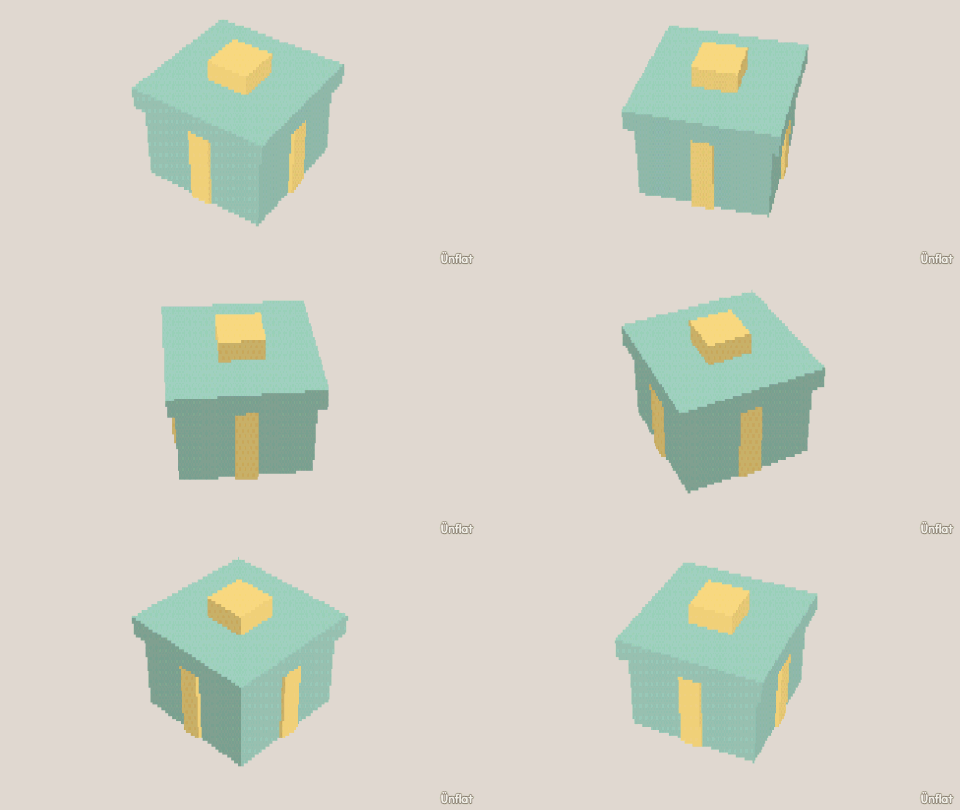
A box, a ribbon band made with two sliced lines and Fill, and a bow on top.
Video coming soon. The written walkthrough below is the whole build.
Written walkthrough
Wrap a present. The ribbon is faces, not a new shape: two sliced lines make a band all the way round the box, and Fill paints it. This is the Gift Box card in the app’s Learn tab.
1. Drop the box
Select Cube: Width 4, Height 4, Depth 4. Tap the middle of the floor and press Drop .
2. Slice two lines down the box
Open Cut , select Slice, then Side. Tap just left of the middle and press Cut, then just right of the middle and press Cut again. A band runs round the box.
3. Fill the box, then the band
In Color, open the Select bar and tap All, select a color, and press Fill . Then tap None, tap the band’s faces all the way round, select a second color, and press Fill.
4. A bow on top
Drop a Sphere with Size 1 on top, just left of the middle. Open Details and tap its row. On the Part tab, under More, tap Mirror a copy, then Make the mirrored copy: two loops of a bow.