Build a chibi
A small character with a big head: a body lifted on its page, legs under it, arms, and hair made from a ball chopped in half.
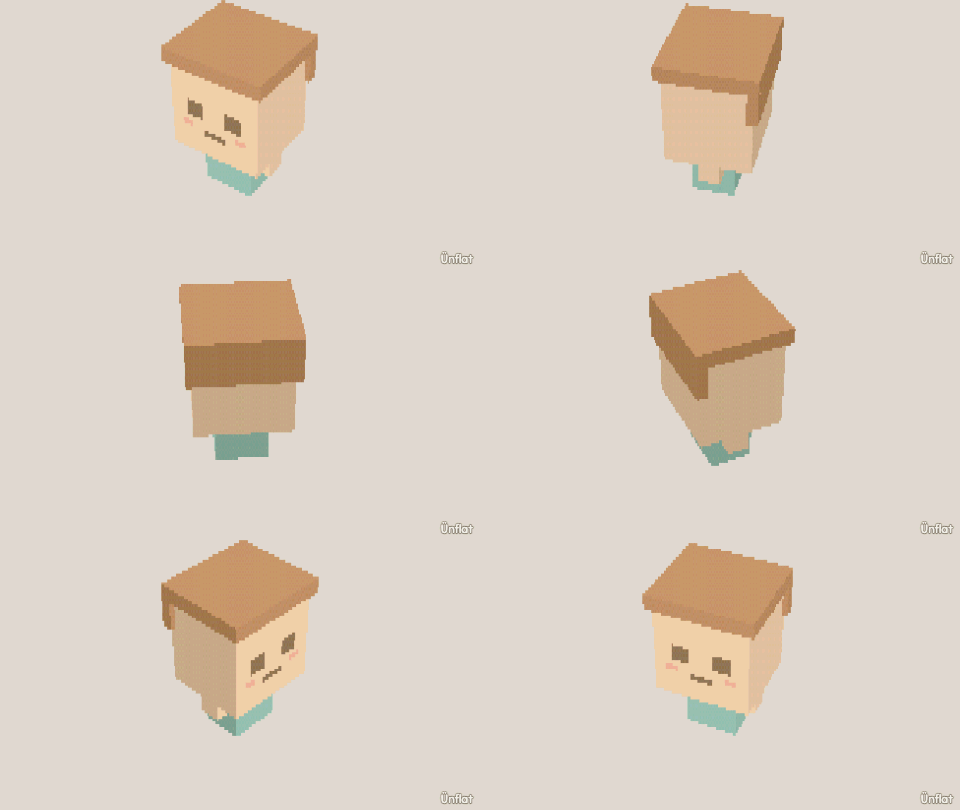
Video coming soon. The written walkthrough below is the whole build.
Written walkthrough
Build a chibi from separate pieces. Chibi heads are most of the character. This is the Chibi card in the app’s Learn tab.
1. Drop the body
Select Cylinder: Height 2, Width 2. Tap the middle of the floor and press Drop .
2. Lift the body
Open Details and tap its row. On the Action tab tap Move, then Up. Select Medium on the Steps card and press Up twice.
3. Drop one leg
Cylinder: Height 2, Width 1. Tap the floor under the body, just left of the middle, and press Drop. For the other leg, open Details and tap its row. On the Part tab, under More, tap Mirror a copy, then Make the mirrored copy.
4. Arms
Drop a Cylinder (Height 2, Width ½) beside the body, then Mirror a copy of it.
5. A big head
Select Sphere and set Size to 4. Tap the top of the body and press Drop.
6. Hair over the head
Switch Touch to Overlap. Drop a Sphere with Size 5 over the head, a little toward the back.
7. Chop the hair
Open Cut , select Chop, set Keep to Top. Tap the hair just above the eyes, then press Chop: the face shows.
8. A face
Switch Sits back to Touch. A tall ½ Cube for one eye and Mirror a copy. A flat ¼ Cube on each cheek.
9. Color it
Fill skin, hair and an outfit color. Paint can add more to the face.