Build a cactus
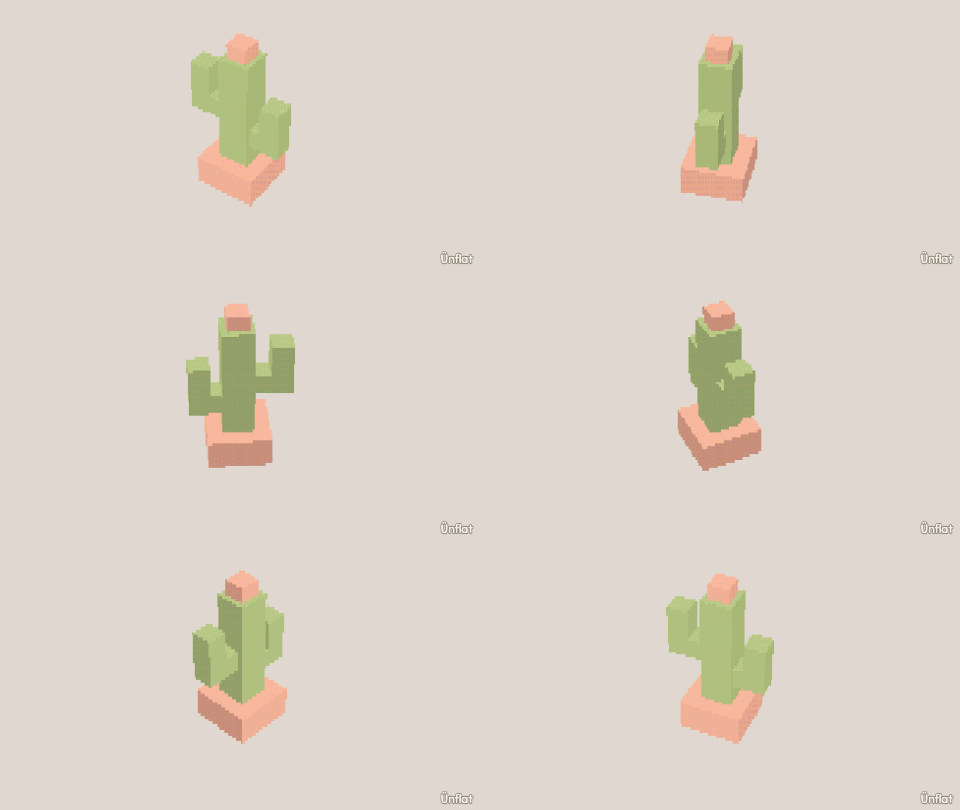
A pot with a flared lip and soil, a cactus set in with Overlap, and two arms that bend up.
Video coming soon. The written walkthrough below is the whole build.
Written walkthrough
Build a potted cactus. The arms are their own pieces, so they read as arms from every side. This is the Cactus card in the app’s Learn tab.
1. Drop the pot
Select Cylinder: Height 2, Width 3. Tap open floor and press Drop .
2. Flare the pot’s lip
Open Resize and select Rings. Tap the line round the top of the pot, then press Wider.
3. Push in the soil
Push in › Draw a shape on the top: a ring just inside the rim. Close it, then press Push it in.
4. Place the cactus
Switch Touch to Overlap. A Cylinder (Height 5, Width 2) dropped on the soil sinks into the pot.
5. An arm
Switch Sits back to Touch. Drop a Cylinder (Height 2, Width 1) beside the cactus. Open Details and tap its row. On the Action tab tap Turn, then Front, and press Turn right once so it lies sideways. Then tap Move, then Side, and move it in until it touches.
6. Bend the arm up
Drop a Cylinder (Height 2, Width 1) on the arm’s end: the elbow points up. Make a second arm on the other side.
7. Color it
Fill a terracotta pot, dark soil, a green cactus, and a pink flower on top.