Build a bird
A round body lifted on its page, legs under it, a head, a beak turned to point forward, thin wings made with Size, and a tail.
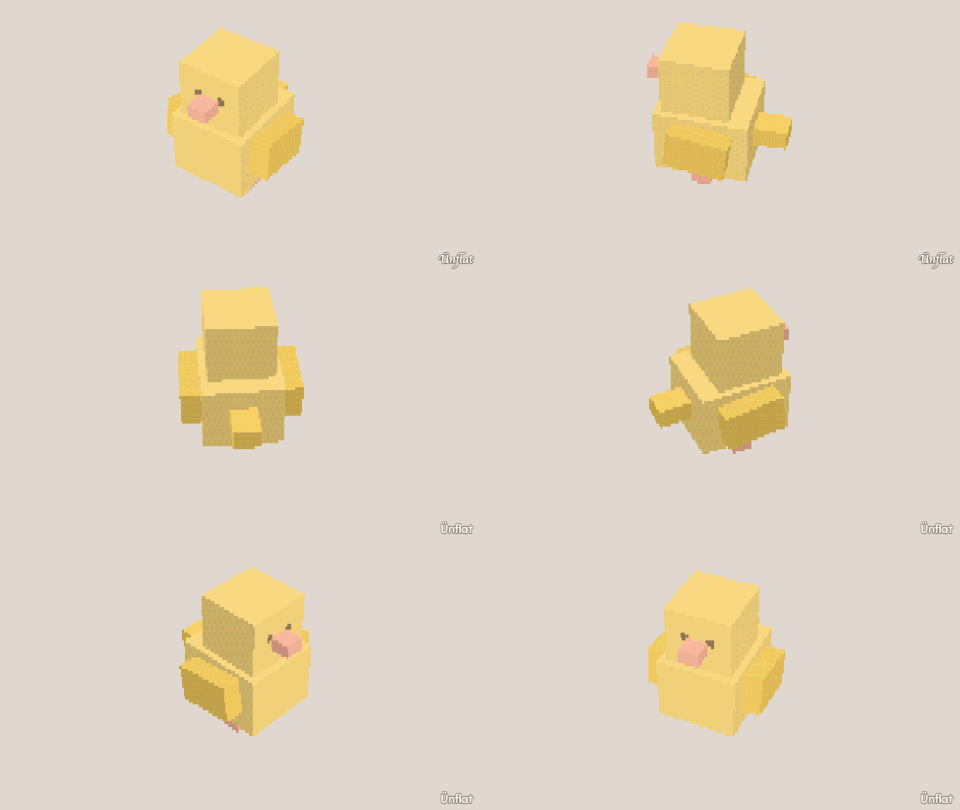
Video coming soon. The written walkthrough below is the whole build.
Written walkthrough
Build a bird from separate pieces. A wing is a ball made thin with Size, and Mirror a copy makes the other. This is the Bird card in the app’s Learn tab.
1. Drop the body
Select Sphere, set Size to 4, tap the middle of the floor, and press Drop .
2. Lift the body
Open Details and tap its row. On the Action tab tap Move, then Up. Select Medium on the Steps card and press Up once.
3. Drop one leg
Select Cylinder: Height 1, Width ¼. Tap the floor under the body, just left of the middle, and press Drop. For the other leg, open Details and tap its row. On the Part tab, under More, tap Mirror a copy, then Make the mirrored copy.
4. Drop the head
Select Sphere, set Size to 3, tap the top of the body toward the front, and press Drop.
5. A beak
Drop a small Pyramid on the front of the head. Open Details and tap its row. On the Action tab tap Turn, then Side, and turn it so it points forward.
6. A wing, then its twin
Drop a Sphere with Size 3 beside the body. Open Details and tap its row. On the Action tab tap Size, then Wide. Select Medium on the Steps card, then press Narrower twice: a thin wing. Then on the Part tab, under More, tap Mirror a copy, then Make the mirrored copy.
7. A tail
Select Wedge and drop it on the back of the body.
8. Color it
Fill one body color, darker wings and tail, an orange beak and legs, and dark eyes.